
RiverApp - River levels
Florian BessièreWeather
4.8275.00 Reviews
- Version
- 6.1.1
- Installs
- 500.00K
- Age Rating
- Everyone
Screenshots
Our Review of RiverApp - River levels
 Analysis by Appyee
Ever found yourself planning a kayaking trip or just curious about water levels in rivers? Well, meet RiverApp – your new go-to app for checking out river levels in real time. I recently took it for a spin, and let me tell you, it’s quite the catch! It’s not just for the hardcore adventurers; even if you’re planning a peaceful day by the river, this app has some neat features you might want to check out.
Getting Started with RiverApp
First things first, downloading RiverApp is a breeze. It’s available for both Android and iOS, so no worries about compatibility. Once you have it installed, the interface is pretty straightforward. You don’t need to be a tech wizard to navigate through it, which is a massive plus in my book.
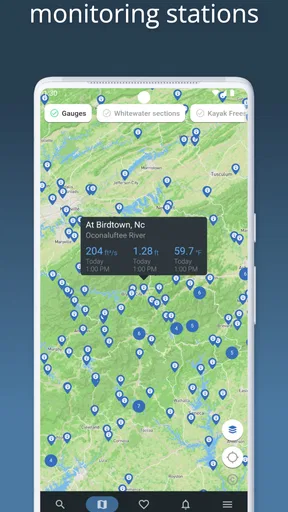
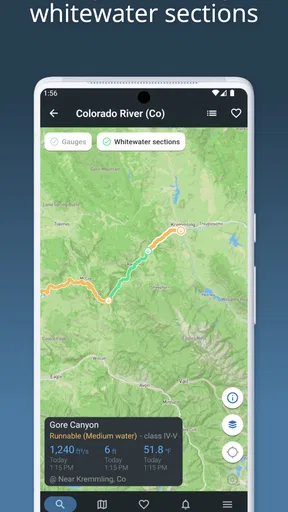
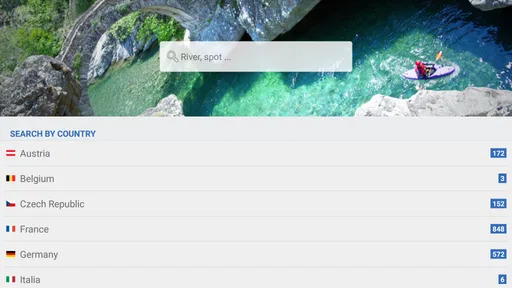
The home screen greets you with a map and a list of rivers nearby. You can either search for a specific river or just explore the ones around you. The map is interactive, so you can zoom in and out, and it shows real-time water levels, which is super handy.
Features You’ll Love
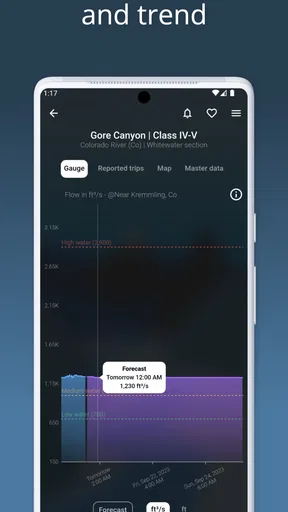
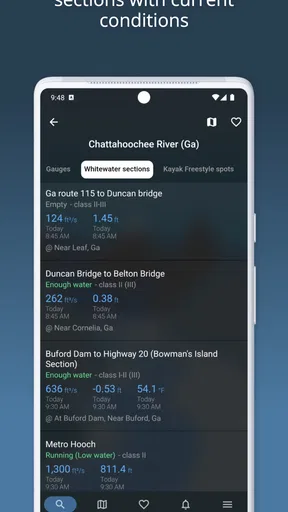
Now, let’s dive into what makes this app shine. Real-time data is the star of the show here. RiverApp pulls information from over 15,000 rivers worldwide. That’s a massive database! You can see the current water level, flow rate, and even temperature. Talk about being prepared!
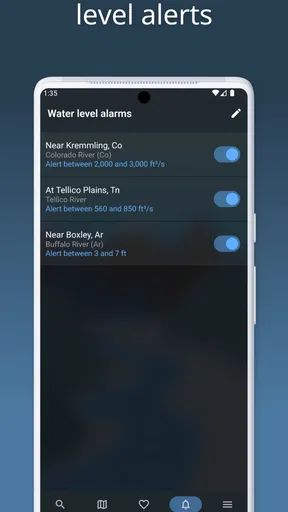
If you’re someone who loves planning, the app allows you to set up notifications for your favorite rivers. So, if the river level hits a certain point, you’ll get a heads-up. No more last-minute scrambles or checking multiple websites. Just set it and forget it!
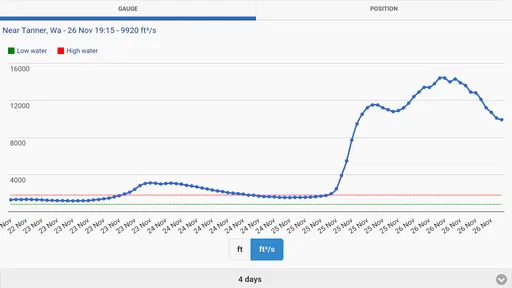
Another cool feature is the option to view historical data. If you’re curious about how a river behaves over time, you can check out past levels and trends. It’s like having a mini research tool in your pocket.
Why You Should Download It
Whether you’re a kayaker, rafter, or just love spending time by the water, RiverApp is a game-changer. Gone are the days of guessing water conditions or relying on outdated information. With this app, you get everything you need at your fingertips.
And let’s not forget about the community aspect. You can share and view photos from other users, which adds a nice personal touch. It’s always fun to see where others are adventuring and maybe even pick up some inspiration for your next outing.
A Few Tips for Using RiverApp
While the app is user-friendly, here are a few tips to get the most out of it. First, make sure to enable location services for accurate results. The app works best when it can pinpoint the rivers closest to you.
Also, take advantage of the favorites feature. By saving the rivers you frequent, you can access their data more quickly. Trust me, it’s a real time-saver!
Lastly, explore the settings to customize notifications and data preferences. Tailoring these to your needs can enhance your overall experience.
Final Thoughts
All in all, RiverApp is a must-have for anyone with an interest in rivers. It’s practical, straightforward, and packed with useful features. Whether you’re planning an adventure or just want to stay informed, this app has got you covered. So, go ahead and give it a try – it might just become your new favorite tool for exploring the great outdoors!
Verdict
Strengths of RiverApp - River levels
- Real-time data for accurate river levels.
- User-friendly interface with clear visuals.
- Covers a wide range of locations globally.
- Customizable alerts for specific conditions.
- Offline access to previously viewed data.
Limitations of RiverApp - River levels
- Limited offline functionality for new data.
- Some locations may have outdated info.
- Ads can be intrusive in free version.
- Requires GPS for precise location accuracy.
- Not all features are available on iOS.
Similar Picks in This Category
View All
Weather - By Xiaomi
Xiaomi Inc.4.1

Weather & Radar Forecast
WetterOnline4.8

Weather
OneLouder Apps4.6

AccuWeather: Weather Radar
AccuWeather3.6

The Weather Channel - Radar
The Weather Channel4.6

1Weather Forecasts & Radar
OneLouder Apps4.3
Frequently Asked Questions
What is RiverApp and what does it offer?
RiverApp is a mobile application designed to provide real-time data on river levels, flow rates, and water conditions. It offers detailed information for various rivers and streams worldwide, making it an essential tool for outdoor enthusiasts, kayakers, and fishermen. The app also includes weather forecasts and alerts for changing conditions.
Is RiverApp available for both Android and iOS devices?
Yes, RiverApp is available for download on both Android and iOS platforms. Users can find the app on the Google Play Store for Android devices and the Apple App Store for iPhones and iPads. This cross-platform availability ensures a wide range of users can access its features.
Does RiverApp require an internet connection to function?
Yes, RiverApp requires an internet connection to provide updated and accurate river level data. The app retrieves real-time information from various sources, which means users need either a Wi-Fi or mobile data connection to access the latest river conditions and forecasts.
How accurate is the river level data provided by RiverApp?
RiverApp sources its data from a network of reliable governmental and environmental agencies, ensuring a high degree of accuracy. However, users should be aware that conditions can change rapidly, and it's advisable to cross-reference with local sources or alerts before planning activities on or near water bodies.
Are there any costs associated with using RiverApp?
RiverApp offers a free version with basic features, but it also provides a premium subscription for users who want access to advanced functionalities, such as detailed river maps, historical data, and ad-free usage. The subscription helps support the ongoing development and maintenance of the app.
